Building WebRTC Recording Infrastructure using GStreamer and Temporal

Vivek Chandela, Shantanu Sharma,Geetish Nayak11 Jun, 2025


In Part 1 of our blog, we detailed how we built an in-house streaming platform using GStreamer and Temporal to support multi-host live streams with low-latency RTMP/HLS delivery. In this second part, we’re extending our pipeline to include recording capabilities, supporting both composite and individual recordings of a livestream.
Overview
Our recording infrastructure focuses on WebRTC video and audio. The goal is to allow moderation teams to access clean, archived footage—composite or individual—for compliance, post-production, or analysis.
We output:
- Video: 640x360 resolution @15 fps, H.264 codec @5 Mbps
- Audio: AAC codec @44 kbps
- Container: MP4 format
Recordings are chunked into 15-second MP4 snippets, available shortly after capture.
Why WebRTC Recording Is Hard
Daily.co put it well in this post. There are 3 main reasons:
- Synchronizing the participants' video and audio streams and layout handling at runtime.
- Testing livestreams is cumbersome due to the no. of edge cases
- Choosing the point of view:
- client-side direct recording: Represent what some specific participant saw on their computer/device. This is brittle across environments.
- client-side direct recording: Represent what some specific participant saw on their computer/device. This is brittle across environments.
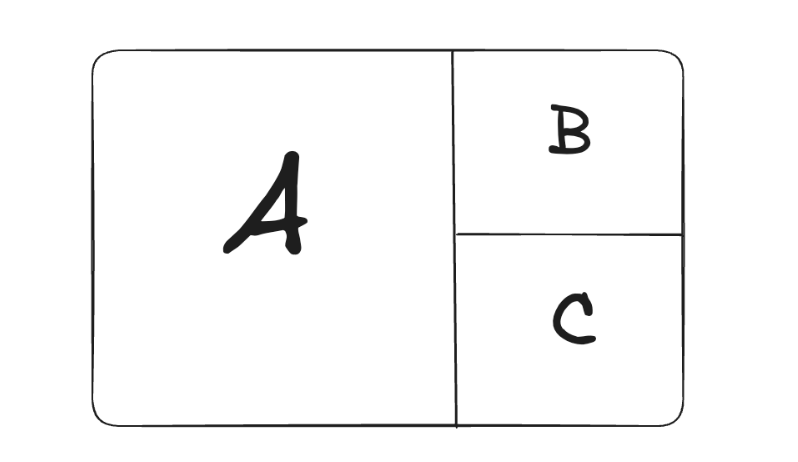
- server-rendered recording: capture the video call from a neutral viewpoint. This is what we used for composite and individual recording.
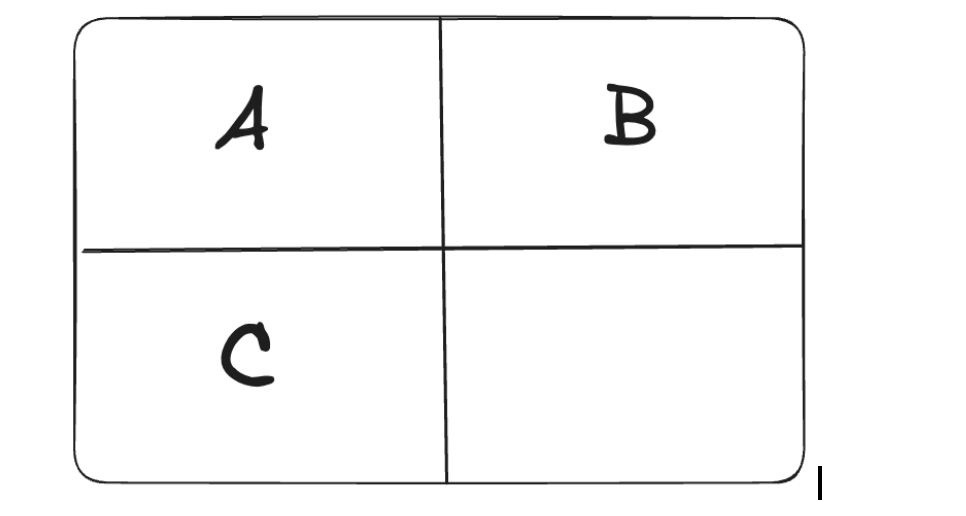
- raw track recording: record all the different participants’ video streams individually into separate files. Then we could create the final video as a post-production effort. This is hard to sync and multiplex.

Recording Is Just Another Stream
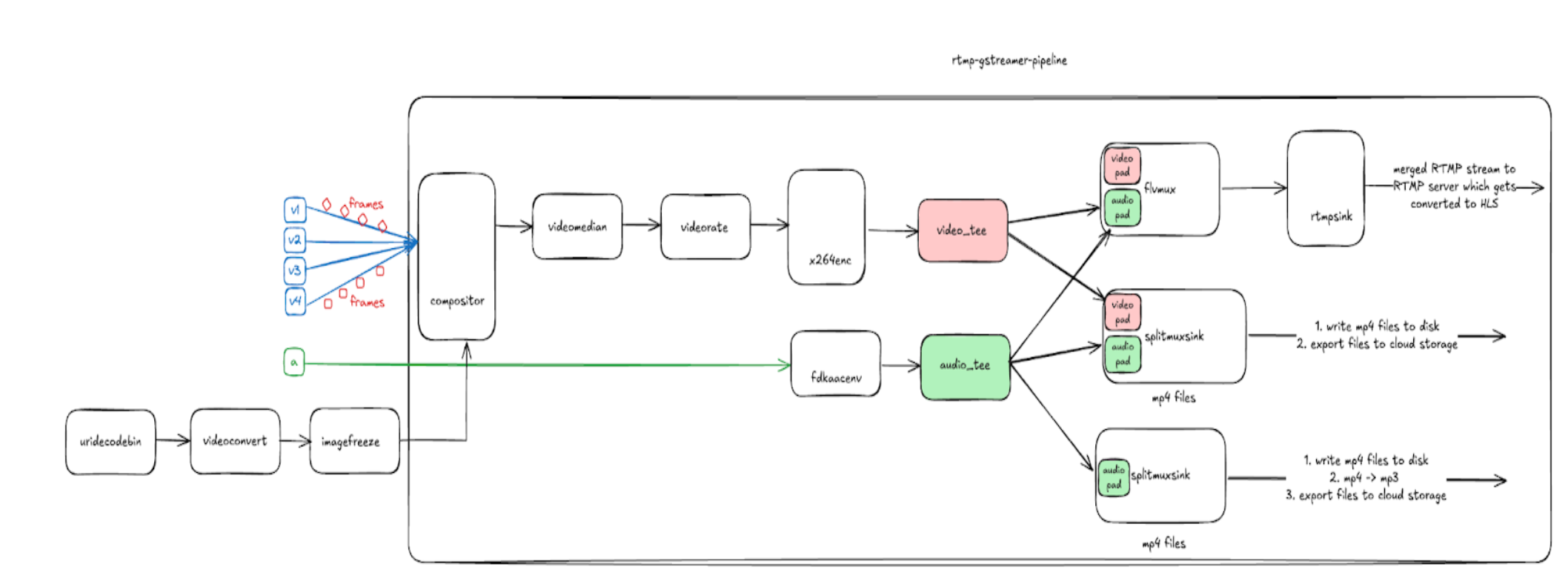
Instead of forwarding encoded AV streams to an RTMP server, we send them to disk/cloud for later use. This is done by leveraging the tee element in GStreamer, which allows the stream to be duplicated. We introduced a mux stage using mp4mux or flvmux to synchronize video/audio streams. One path goes to rtmpsink (for streaming) and another to filesink (for storage).
Note: splitmuxsink is composed of (muxer = mp4mux, sink = filesink) by default. We can replace the mixer and sink with pre-built elements or create custom elements.
From Cloud Sink to Filesink: Why We Changed
Initially, we used awss3sink as the sink for splitmuxsink to write directly to cloud storage. However, we ran into issues:
- File naming race conditions
- Hard to cleanly signal 'file is complete'
- Lack of atomic file visibility
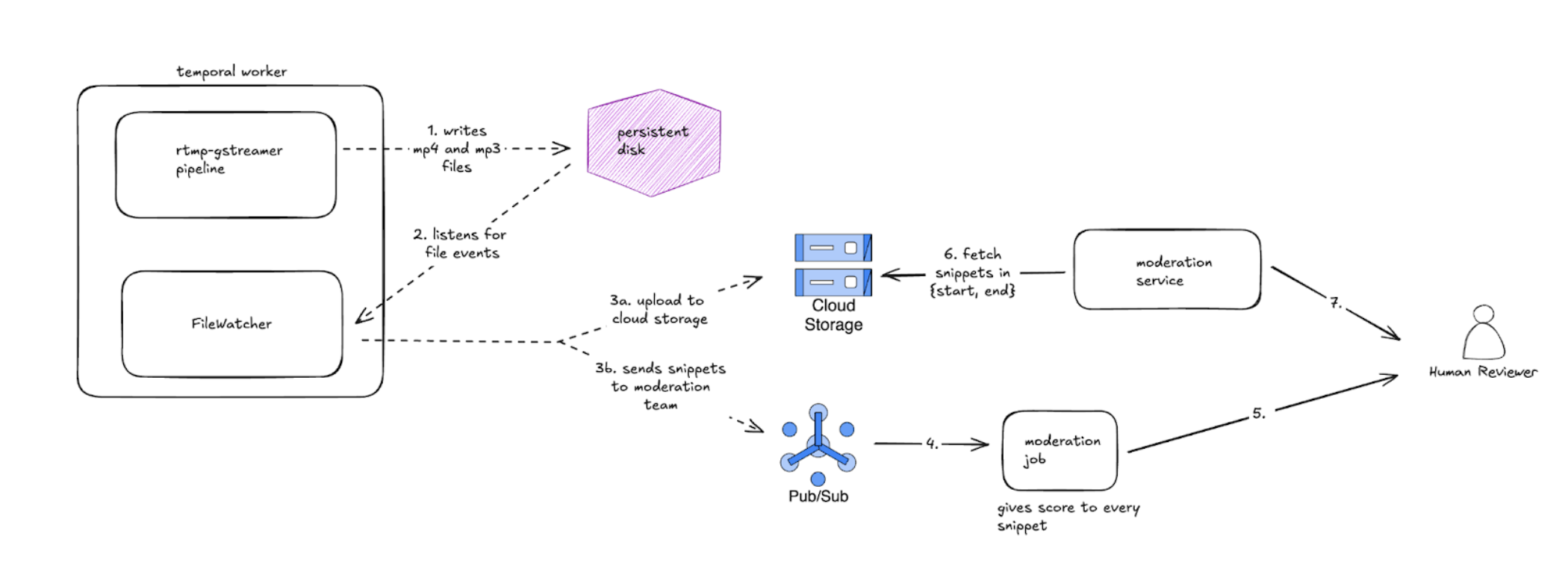
We switched to a filesink that writes to disk, and then used a file watcher(which internally uses inotify for linux) as part of a Temporal job to:
- Detect completed MP4s
- Rename them with session metadata
- Upload to the cloud atomically
Composite vs Individual Recording
Composite Recording
- One unified canvas with all participants rendered.
- Dimensions fixed at 360x640.
- Represents the entire conversation from a neutral viewpoint.
Individual Recording
- Each host is recorded separately.
- Triggered dynamically based on camera on/off events.
- Two variants: MP4 (audio+video), MP3 (audio-only).
Individual recording is just a special case of composite recording. Let’s say we have 4 hosts in a livestream → We’ll need 5 temporal workflows:
- One for composite recording + RTMP streaming.
- 4 for individual recording – one per user. We disable RTMP streaming in these workflows.
Real-time Scoring and Moderation
In addition to cloud storage, we also publish 15-second snippet metadata to the Data Science team via Pub/Sub. Their moderation jobs fetch these snippets, perform analysis, and score the audio and video quality.
If any score falls below a quality threshold, the moderation system triggers a follow-up request to retrieve a longer segment (based on start and end time) from the cloud. These extended snippets are then merged and routed to a human reviewer through a moderation service API.
Final Thoughts
Across these two posts, we walked through how to build a complete, in-house livestreaming and recording solution using GStreamer and Temporal.
In Part 1, we focused on the real-time streaming infrastructure, which involves compositing multiple hosts, encoding with x264 and fdk-aac, and broadcasting via RTMP and HLS.
In Part 2, we extended this architecture with robust recording support, covering composite and individual recordings, file pipeline design, moderation scoring via Pub/Sub, and workflow orchestration with Temporal.
Together, these systems form a resilient and extensible foundation for both live video experiences and scalable post-stream workflows.